- Blog
- Productivity
- AI Agents vs Human Virtual Assistants: Which Should You Use in 2026?
AI Agents vs Human Virtual Assistants: Which Should You Use in 2026?

Table of contents
- Should you hire a virtual assistant or use an AI agent?
- What is an AI agent, and what is a human virtual assistant?
- Why is everyone asking this question right now?
- AI agents vs human VAs: side-by-side comparison
- What are AI agents best at?
- What do human virtual assistants do better?
- What are the real risks of relying on AI agents alone?
- How much does each option really cost?
- The hybrid model: how to use AI agents and human VAs together
- How do you decide? A simple 5-question test
- Three examples of how this looks in practice
- What are the most common mistakes to avoid?
- When is AI alone enough, and when do you need a human VA?
- Frequently asked questions
- The bottom line
“Replace your virtual assistant with an AI agent.” You’ve probably seen that headline this year.
Quick answer: For most businesses, the right answer is both. An AI agent is best for fast, repetitive, rule-based tasks, and a human virtual assistant is best for work that needs judgment, communication and accountability. Replacing a VA with AI completely often saves less than it seems once you count setup, monitoring and error correction.
- Use an AI agent for high-volume, rule-based, repeatable work: sorting emails, data validation, transcription, first-draft content and 24/7 routine responses.
- Use a human virtual assistant for work that needs judgment, tone, relationships and accountability: client communication, prioritizing, handling exceptions and checking AI output.
- Use both if you can. For most small businesses, the best setup in 2026 is a human VA who works with AI tools, not a choice of one over the other.
Should you hire a virtual assistant or use an AI agent?
If you run a small business, the pitch is easy to like. An AI agent doesn’t sleep, doesn’t take leave and costs a fraction of a salary.
The reality is more mixed, and the evidence from 2026 supports that. This guide covers what each option does well, where each falls short, what each really costs, and how to combine them so you spend less time on admin without risking your reputation.
What is an AI agent, and what is a human virtual assistant?
An AI agent is software that can carry out multi-step tasks on its own, such as reading an inbox, sorting messages, filling in a spreadsheet or booking a slot. It differs from a basic chatbot because it can take actions across your tools, not just answer questions.
A human virtual assistant (VA) is a remote professional who supports your business with administrative, operational or specialist tasks. Typical work includes email and calendar management, research, data entry, bookkeeping support, customer follow-ups and social media.
The two overlap on routine admin. They differ on everything that depends on context, tone and responsibility.

Why is everyone asking this question right now?
Two things happened at once in 2026.
AI agents moved from demos into daily work. A 2026 Stack Overflow survey of 1,100 developers and technology professionals found that workplace use of AI agents rose to 59% from 31% a year earlier. That sample skews technical, so don’t read it as a figure for every small business, but the direction is clear.

Businesses are not handing over the controls. The same survey found that 63% of respondents rarely or never let agents finish tasks without human intervention, and 82% were concerned about the accuracy of what agents produce. People are using AI heavily and still checking its work.

That gap between using AI and trusting AI is why the “AI agent vs virtual assistant” question has become so common. It is also why the best answer is rarely “pick one.”
AI agents vs human VAs: side-by-side comparison
| Factor | AI agent | Human virtual assistant |
|---|---|---|
| Best for | High-volume, structured, rule-based tasks | Judgment, communication, changing situations |
| Availability | 24/7, runs as inputs arrive | Set working hours, with backup if arranged |
| Speed on bulk work | Very fast | Slower on large batches |
| Tone and relationships | Limited, can sound generic | Strong, learns your preferences over time |
| Handling new situations | Can fail or guess confidently when unsure | Recognizes the unfamiliar and asks |
| Reliability on messy systems | Can break when a layout, format or process changes | Adapts to change |
| Accountability | No one to answer for a mistake | A named person you can talk to |
| Setup effort | Prompts, workflows, testing and monitoring | Onboarding and clear instructions |
| Main risk | Silent or confident errors at scale | Capacity limits and availability |
Read the table row by row and a pattern shows up. Each option is strong exactly where the other is weak, which is the whole case for using them together.

What are AI agents best at?
AI agents earn their place on tasks with clear inputs, clear rules and a lot of repetition.
- Inbox sorting and first-pass triage. Labeling, prioritizing and routing hundreds of messages.
- Data entry and validation. Moving information between systems and flagging records that don’t match.
- Transcription and meeting summaries. Turning recordings into notes and action lists.
- First drafts. Product descriptions, social captions, simple replies and report outlines.
- Scheduling suggestions. Finding open slots and proposing times.
- Always-on routine responses. Answering common questions at any hour.
The common thread is that a wrong output is easy to spot and cheap to fix. If a label is wrong, you fix a label. If the work is customer-facing or involves money, the risk changes.

What do human virtual assistants do better?
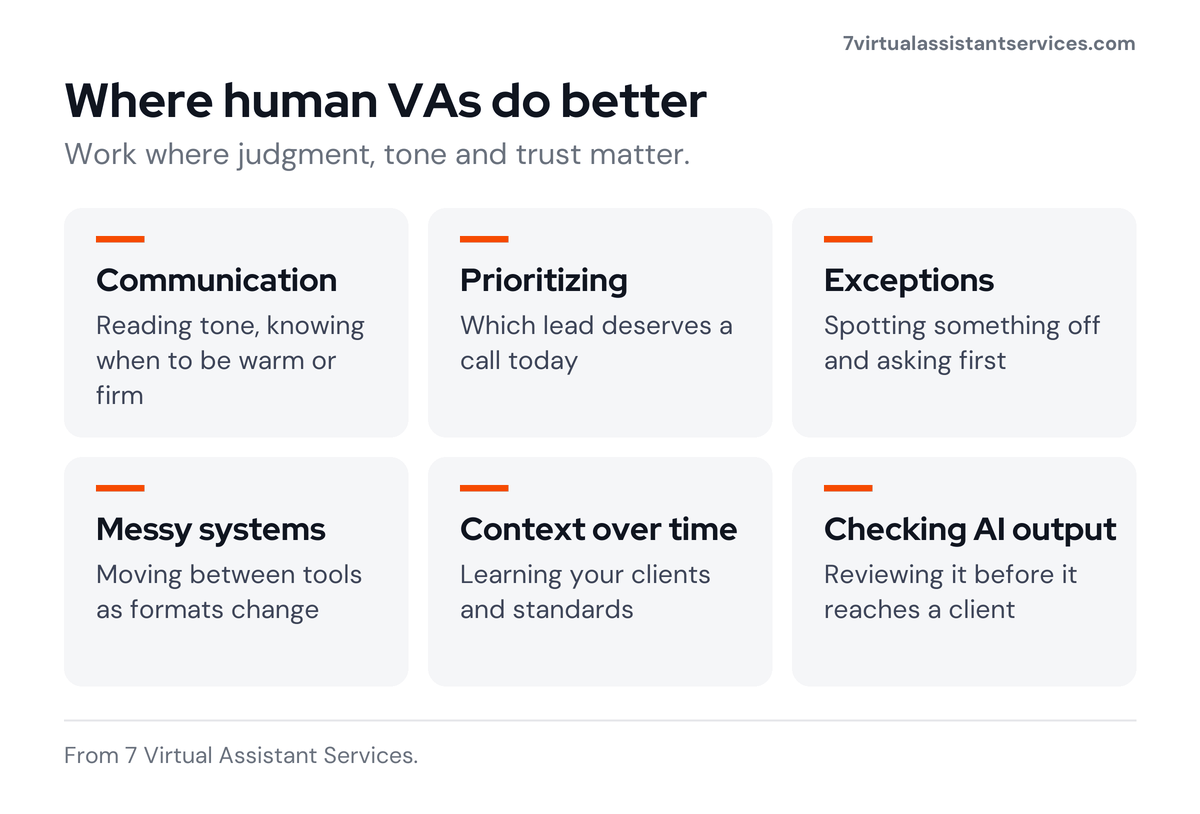
Human VAs are strongest where judgment, tone and trust matter.
- Client communication. Reading the tone of an email, knowing when to be warm or firm, and noticing what a customer isn’t saying.
- Prioritizing and escalating. Deciding which lead deserves a call today or whether a complaint needs you personally.
- Handling exceptions. Spotting that something is off and asking you before acting.
- Working across several systems. Moving between tools, portals and documents when interfaces and formats keep changing.
- Building context over time. A VA who works with you for months learns your preferences, your clients and your standards.
- Checking AI output. Reviewing what automated tools produce before it reaches a client.
That last point matters more each month, and the next section explains why.
What are the real risks of relying on AI agents alone?
AI agents are useful, but several 2026 surveys point to the same problem: they need human oversight.
- Few people trust AI to work alone. A 2026 AI oversight survey of 1,000 US adults who use AI at work found that only 17% believe AI can run dependably on its own, while 70% say it is dependable only when paired with human review.
- Fixing errors can cancel the time saved. In the same survey, 46% said fixing AI’s mistakes takes about as long as doing the task manually, and 19% said AI had made a customer situation worse.
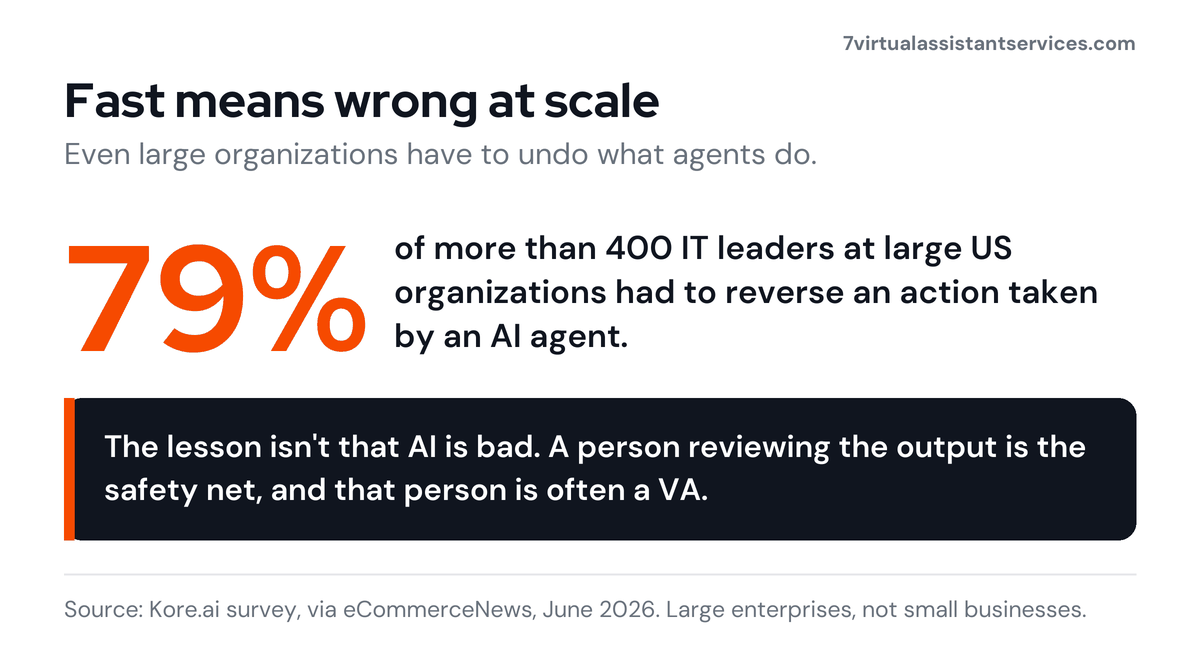
- Agents sometimes have to be reversed. A Kore.ai survey of more than 400 IT leaders at large US organizations found that 79% had to reverse an action taken by an AI agent. That was large enterprises, not small businesses, but the failure pattern applies to any agent with real access.
- Data and security worries are common. In the Stack Overflow survey, 77% cited security and data privacy as a concern.

The lesson is not that AI is bad. Agents work fast, so when they are wrong, they are wrong at scale. A person reviewing the output is the safety net, and that person is often a VA.
How much does each option really cost?
Headline comparisons are tempting. A subscription looks cheaper than a person, but the real cost of each option has more parts.
AI agent costs to consider
- Subscription or usage fees
- Setup time: prompts, workflows, connecting tools
- Testing and monitoring
- Time spent correcting errors
- Re-work when a tool, format or process changes
Human VA costs to consider
- Hourly or monthly fee
- Onboarding and training time
- Management time, which drops as the VA learns your preferences
- Coverage for leave or absence, which good providers arrange

For reference, at 7 Virtual Assistant Services a Part Time VA is US$699 a month for 80 hours (about $8.74 an hour) and Full Time is US$999 a month for 160 hours (about $6.24 an hour). Every plan includes a dedicated VA, a trained backup VA, a QC reviewer and an account manager, so leave cover and a second pair of eyes are part of the price. You can see the details on our price plans page, and our guide to virtual assistant cost breaks down the wider market.

A useful rule: if the hidden costs of an AI setup, mainly your own time spent checking and fixing, come close to a VA’s fee, the VA is the better deal because you also get accountability and relationship skills.

The hybrid model: how to use AI agents and human VAs together
The most practical setup splits work by risk. AI does the first pass, and a human owns the result.

| Task | Let AI do | Let your VA do |
|---|---|---|
| Sort, label, flag urgent messages | Draft and send replies, handle sensitive threads | |
| Calendar | Suggest open slots | Confirm meetings, resolve clashes, protect your priorities |
| Research | Gather sources and summarize | Check facts, judge quality, write the final brief |
| Data entry | Bulk transfer and validation | Review flagged errors, update records needing judgment |
| Social media | Draft captions and post ideas | Edit for brand voice, schedule, reply to comments |
| Customer follow-up | Send routine reminders | Handle complaints, special cases and relationships |
| Meetings | Transcribe and summarize | Turn notes into action items and chase them |
| Reporting | Pull and format numbers | Explain what they mean and what to do next |
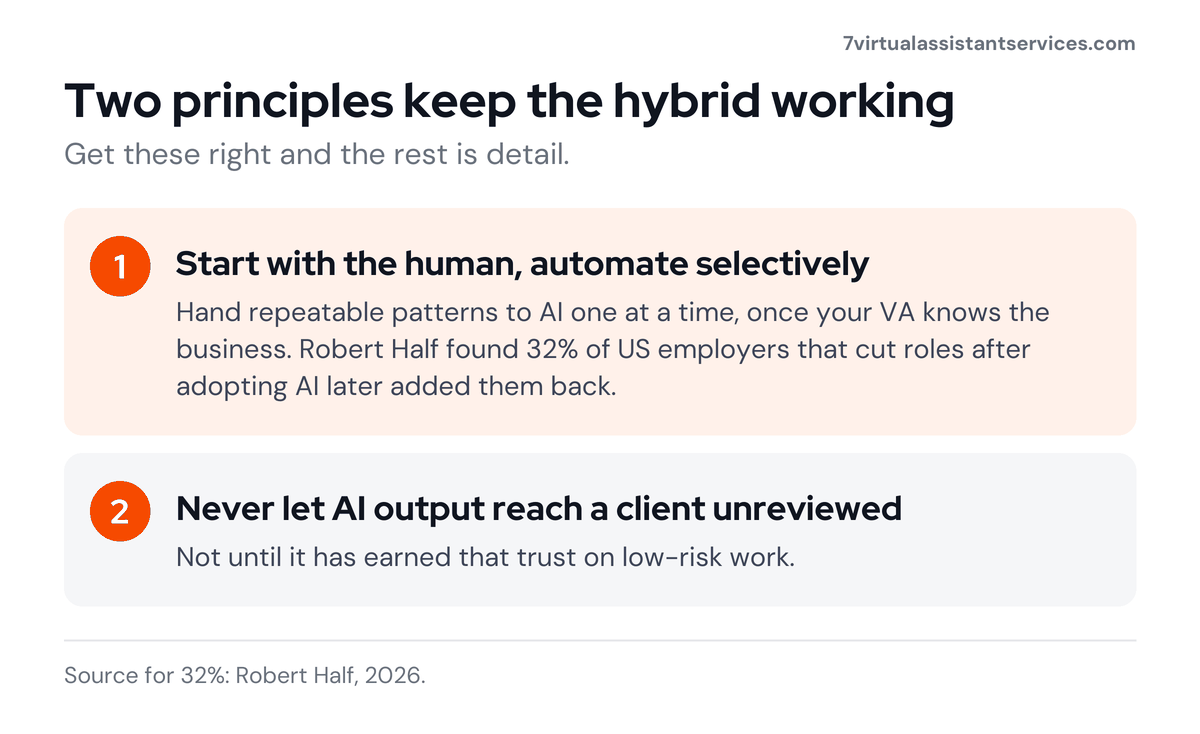
Two principles keep this working:
- Start with the human and automate selectively. Begin with a VA who understands your business, then hand repeatable patterns to AI one at a time. Replacing a VA before the AI has proven reliable is where many businesses lose time and quality. Robert Half found that 32% of US employers that cut roles after adopting AI later added them back, as we covered in companies rehiring after AI layoffs.
- Never let AI output reach a client unreviewed until it has earned that trust on low-risk work.
This is also why every 7VAS plan includes a QC reviewer as well as your dedicated VA. A second person checks the work before it reaches you or your clients, whether a person or a tool did the first pass.
How do you decide? A simple 5-question test
Run any task through these questions.
- Is the task repeatable and rule-based? If yes, it’s a candidate for AI.
- What happens if it’s wrong? If a mistake is cheap and easy to fix, AI is fine. If it affects a client, money or your reputation, add a human.
- Does it need tone, empathy or relationship knowledge? If yes, use a human.
- Does it span several systems or change often? If yes, favor a human, because automations can break when anything changes.
- Who answers if it goes wrong? If you need a named person accountable, use a human.
Scoring: mostly “yes” to question 1 and “cheap” on question 2 means automate it. Any “yes” on questions 3 to 5 means a human should own it, even if AI helps.

Three examples of how this looks in practice
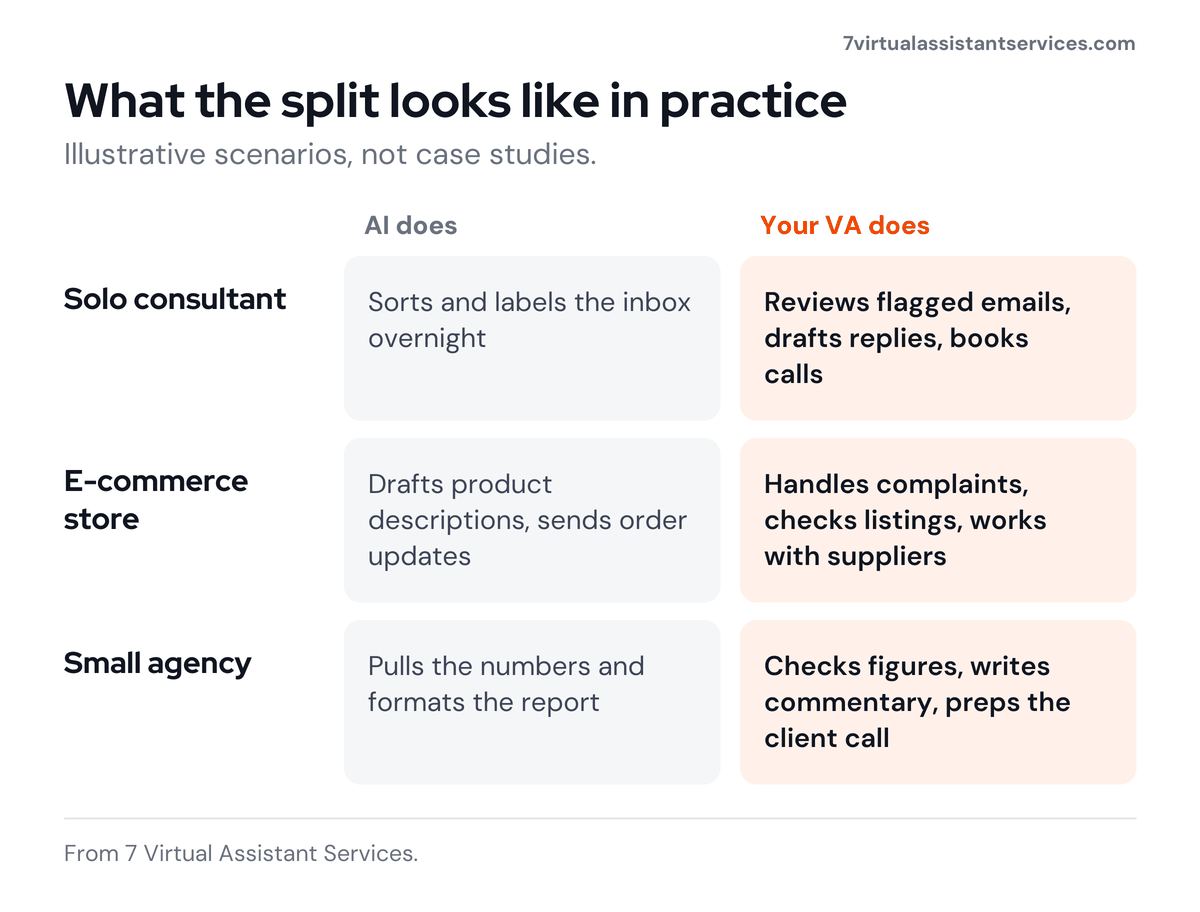
These are illustrative scenarios, not case studies.
A solo consultant with a flooded inbox. AI sorts and labels messages overnight. The VA reviews flagged emails each morning, drafts replies to clients in the consultant’s voice and books calls. The consultant sees a clean inbox and approves only what matters.
An e-commerce store before Black Friday. AI drafts product descriptions and sends order-status updates in bulk. An e-commerce VA handles customer complaints, checks listing accuracy, coordinates with suppliers and watches for anything unusual in orders.
A small agency managing client reports. AI pulls the numbers and formats the report. The VA checks the figures, writes the commentary and prepares the client call notes so the founder walks in prepared.
What are the most common mistakes to avoid?
- Automating before understanding the process. If you can’t explain the task clearly to a person, an AI agent won’t do it well either.
- Giving agents too much access too soon. Start with read-only or low-risk permissions and widen them once you trust the results.
- Skipping the review loop. Even a few minutes of daily review catches small errors before they compound.
- Replacing your VA the moment a tool looks good in a demo. Demos use clean data. Real work doesn’t.
- Ignoring data security. Decide what data AI tools may see, and give your VA only the access each task needs.
- Choosing on price alone. The cheapest option often costs the most in rework.

When is AI alone enough, and when do you need a human VA?
AI alone is usually enough when:
- The work is repetitive, structured and low-risk
- Errors are easy to spot and cheap to fix
- Nothing goes to a client without your sign-off
You need a human VA when:
- Client relationships, tone or reputation are involved
- The work needs prioritizing or judgment
- Processes change often or span many tools
- You want a named person accountable for results
- You need someone to supervise your AI tools

If you’re wondering where this is heading longer term, we looked at that in will AI replace virtual assistants?
Frequently asked questions
Can an AI agent replace a virtual assistant completely?
Not reliably for most businesses. AI agents handle routine, structured work well, but human oversight is still the norm. In a 2026 survey of 1,000 US adults who use AI at work, only 17% said AI can run dependably on its own. A hybrid setup is safer and usually more cost-effective.
Is an AI agent cheaper than a virtual assistant?
It can look cheaper upfront, but setup, monitoring and error correction add hidden costs. Compare the total cost, including your own time, not just the subscription fee.
What tasks should I give to AI instead of a VA?
Give AI repetitive, rule-based work with clear inputs and outputs, such as inbox sorting, data validation, transcription and first drafts. Keep client communication, prioritizing and exception handling with a human.
What tasks should always stay with a human VA?
Client communication, sensitive messages, escalation decisions, relationship management, and anything where a mistake would hurt your reputation or finances.
Can a virtual assistant use AI tools?
Yes, and many do. A VA who uses AI for first drafts and sorting can work faster while still reviewing everything for quality. Ask any provider how they use AI and how they protect your data.
Is it safe to give an AI agent access to my email and files?
It carries risk, so limit permissions, avoid sharing sensitive data unless you trust the tool’s data handling, and review actions regularly. The same applies to a human VA: give access only to what each task needs, and use confidentiality agreements.
How do I get started with a hybrid setup?
Start with a human VA for your core admin. List your repeatable tasks, test AI on the low-risk ones, have your VA review the output, and expand slowly as results prove reliable.
Will AI make virtual assistants obsolete?
The role is changing rather than disappearing. Routine tasks are being automated, while demand grows for people who can supervise AI, handle judgment calls and manage relationships.
The bottom line
AI agents are fast, tireless and good at repetitive work. Human virtual assistants bring judgment, tone, accountability and context. Each is weak where the other is strong, so the question isn’t which to pick. It is how to combine them: let AI do the first pass, and let a trusted person own the result.
If you are drowning in email, calendar changes, research and follow-ups, that trusted person is the place to start.

Ready to delegate smarter?
At 7 Virtual Assistant Services, we help businesses hand off everyday operations such as email, calendar management, research, data entry, customer service and social media, so you can focus on growth. Every plan comes with a dedicated VA, a trained backup VA and a QC reviewer, and you can start in 48–72 hours. Book a free consultation and tell us what’s eating your week.

John Peter D
John has worked as a virtual assistant for 16 years and founded 7VAS to give small businesses a dedicated VA with the cover and quality checks he wished his own clients had. His team works from Chennai, India, with Philippines-based VAs and bilingual English–Spanish teams in Brazil and Chile, supporting 200+ clients across the US, UK, UAE, Singapore and Australia.